Top 11 Real Estate Marketing Tools in 2026 [With Real User Reviews]

Table of Contents
- What to look for in a real estate marketing tool
- Best real estate marketing tools for your tech stack
- Social media and content creation
- 1. Coffee & Contracts
- 2. Canva
- CRM and lead nurturing
- 3. Follow Up Boss
- 4. HubSpot CRM
- Email marketing
- 5. Flodesk
- Lead generation
- 6. Zillow
- 7. Market Leader
- Social media scheduling and management
- 8. Buffer
- 9. Sprout Social
- Visual marketing and property presentation
- 10. Matterport
- 11. Virtual Staging AI
- Which tool is right for you?
- Frequently Asked Questions
- 1. What is the best tool for marketing a listing?
- 2. Which social media platform is best for real estate?
- 3. What are the best real estate AI marketing tools?
- 4. Which CRMs integrate best with real estate marketing for lead tracking?
- 5. What free or affordable tools help create virtual tours and 3D listings?
- 6. Are there all-in-one platforms for real estate branding and scheduling?
As a real estate agent, your marketing involves a lot of moving parts: generating leads, staying consistent on social media, following up with contacts, creating listing content and staying visible in your market. The tools on this list cover those different functions, and which ones make sense for you depends on where you are in your business and what you need right now.
Every tool has been evaluated through reviews on G2, Trustpilot and Capterra, and we have tested a few ourselves to understand how they work in practice. The goal is to give you an honest picture of what each tool does so you can make an informed decision.
Note: Pricing for the tools shared in this article is subject to change.
What to look for in a real estate marketing tool
Marketing tools for real estate should help you stay visible, save time and support real client conversations, not just give you more to manage.
1. Ease of use: Marketing usually gets done in the gaps between showings and client work. A tool should be simple enough to use consistently, because if it feels clunky or takes too long to learn, it tends to become one more thing you meant to get around to but never did.
2. Integration with your existing tools: Most real estate agents already have a mix of platforms in place, whether that’s a CRM, email platform, real estate website or social media scheduler. For agents, property managers, or teams handling ongoing client support, property maintenance software can also help connect marketing activity with repair requests, service follow-ups, and long-term property care. The right tool should fit into that workflow without making your marketing feel more scattered.
3. Pricing vs. value: The most affordable option is not always the best one, and the most expensive one is not automatically worth it. What matters is whether the tool saves time, improves consistency or supports your real estate marketing and sales strategy by managing lead generation and content more effectively.
4. Real estate-specific usefulness: Some tools are flexible enough to work for any industry. Others are built in a way that maps more naturally to how agents market things like property listings, open house promotion, lead nurturing and client follow-up. That distinction is worth paying attention to in the real estate industry.
With that in mind, here are the real estate marketing tools worth knowing about.
Best real estate marketing tools for your tech stack
Before the detailed breakdown, here’s a snapshot of what each tool offers
Social media and content creation
1. Coffee & Contracts
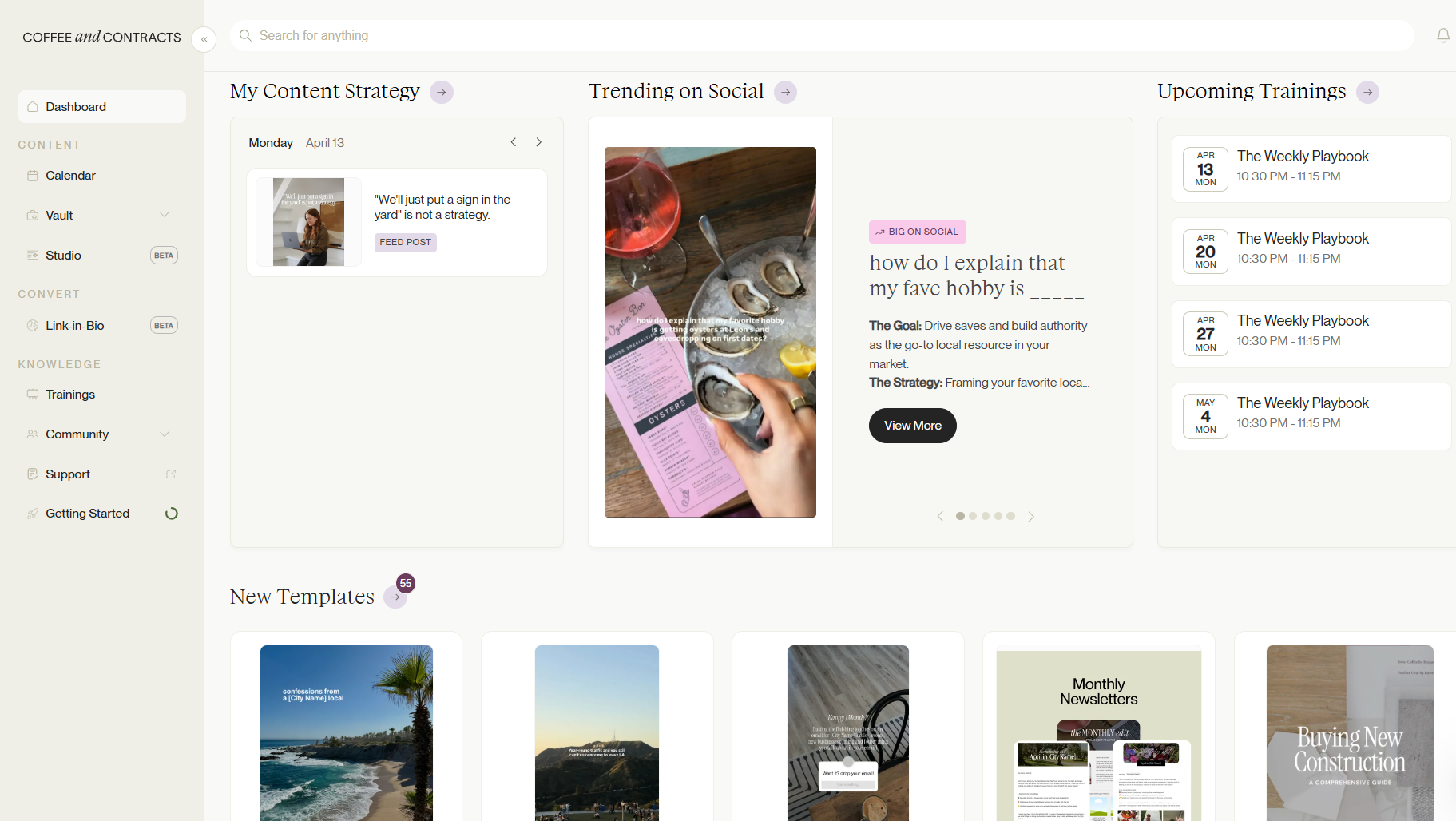
Coffee & Contracts is a marketing operating system built specifically for real estate agents who want to attract leads on social media without spending hours figuring out what to post. Inside, you have access to a strategic content library,a custom content planner, regular marketing strategy trainings, a robust community of agents referring business, and more. From the content vault, access e customizable templates to use across social media, print, and email. Members also receive weekly emails with insights into what’s working for real estate agents on social media and how to implement it for themselves. If you’re looking for something beyond templates, Coffee & Contracts also supports AI for custom caption generation and analytics to track your posts' performance.
Key Coffee & Contracts’ features
- Content vault with customizable templates and captions, organized by content pillar.
- Strategy training covering Instagram growth, lead generation, audience engagement, and conversion.
- Weekly content calendar with a target audience filter for locals, relocators, buyers, and homeowners.
- AI prompts and Content Studio for faster customization.
Coffee & Contracts’ pros
- Built exclusively for real estate agents
- Regularly releases new product features based on member requests, like the Instagram Analytics Dashboard, the Instagram Profile Audit, and more
- Human first, but AI-enabled
Coffee & Contracts’ cons
Does not include a scheduling or publishing workflow yet, so you’ll need a separate tool to plan and publish content.
Coffee & Contract’s pricing
Coffee & Contracts offers a 7-day trial with free access to select content and features. For paid plans, monthly and yearly pricing plans are available for solo real estate agents and teams. If you opt for the yearly plan, you get two months of free access.
- Individual agent: $74/month and $740 a year
- Team: Starting $108/month and $1200 a year for a two-member team ($600/year and $54/month for additional members)
2. Canva
Source: Canva
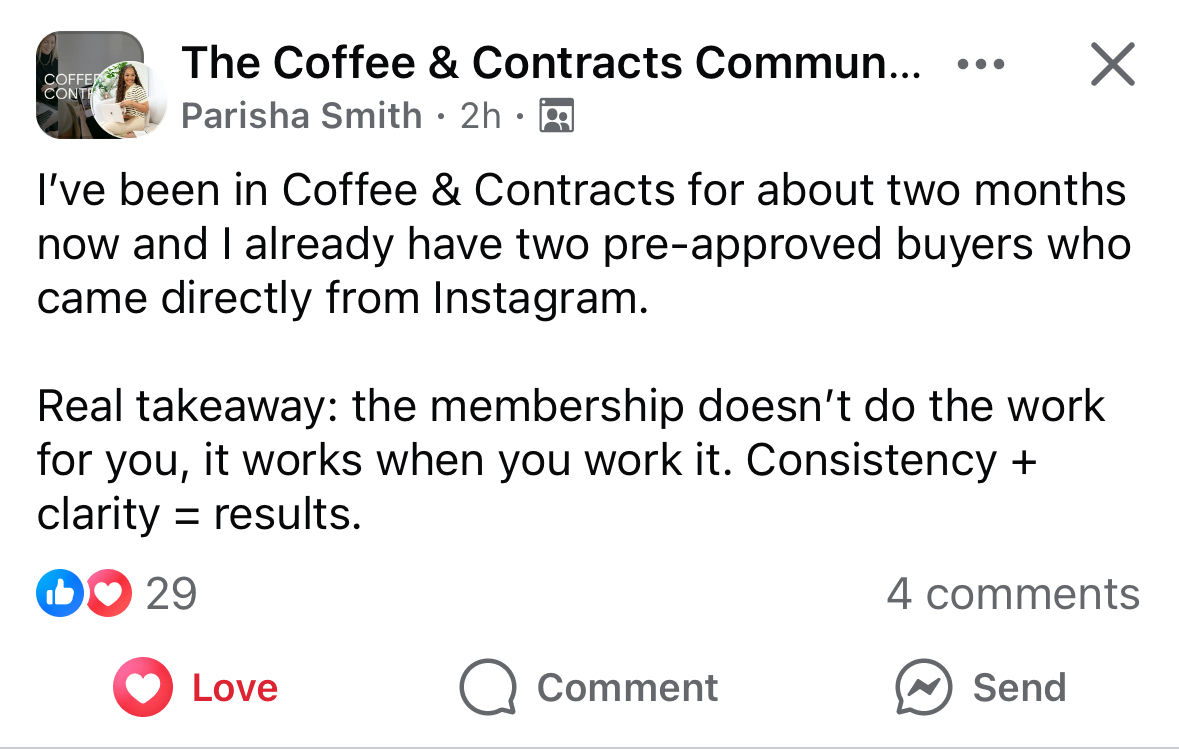
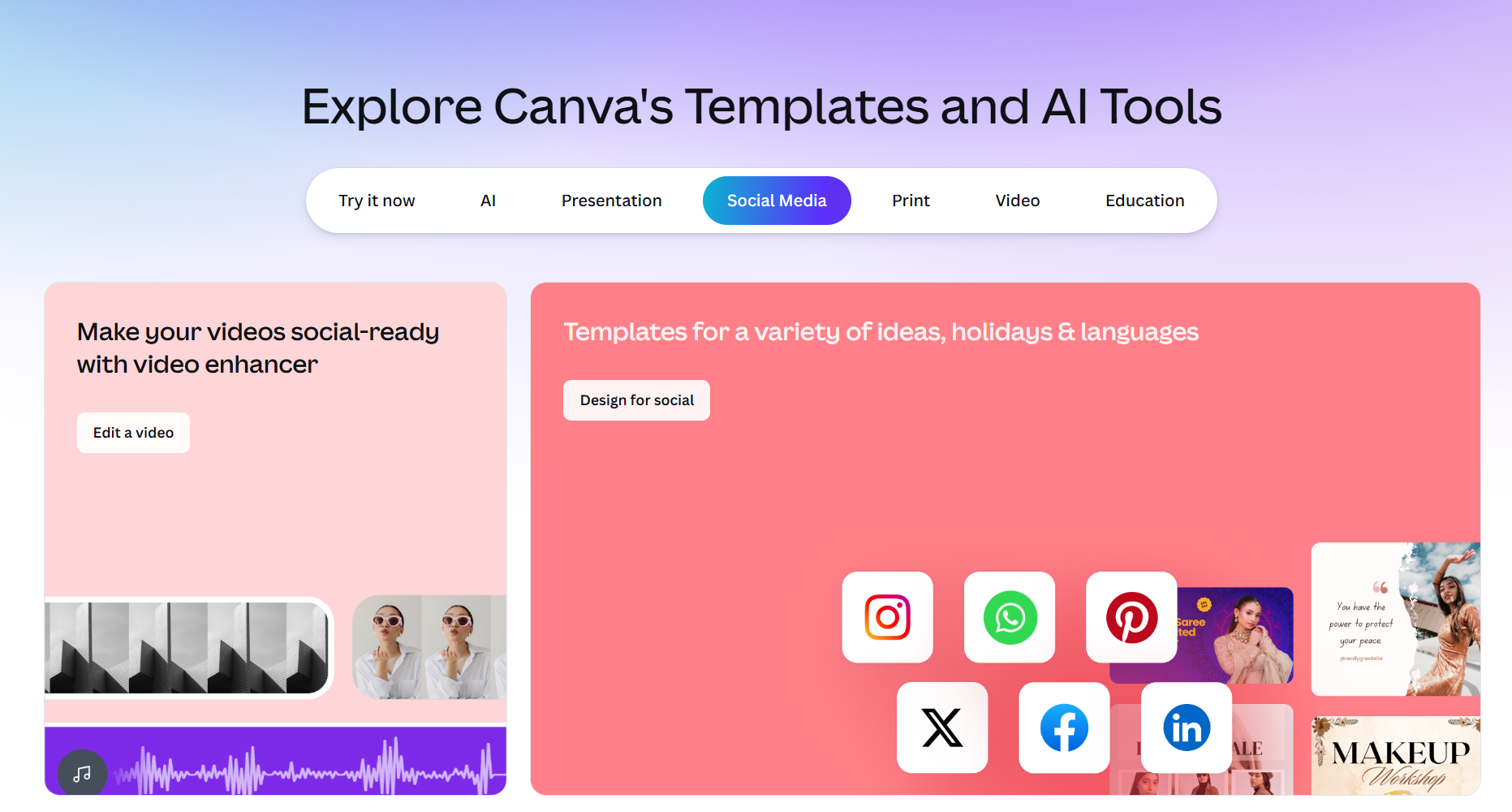
Canva helps you create visual content from scratch or using social media templates, making it a useful tool to stay active on social media.
Drag-and-drop editing with easy resizing keeps customization fast. And if you’re a real estate agency or a marketing team, the real-time collaboration feature lets everyone co-design and comment within a design, so content is reviewed before it goes live.
Canva’s key features
- Brand kit to store logos, icons, graphics, color palettes, and fonts in one place
- AI features for content production and editing
Canva’s pros
- User-friendly interface
- Affordable pricing
Canva’s cons
- Limitations with the free version
- Templates are not real estate-specific
Canva’s pricing
Canva offers a free plan for 1 user, as well as 3 paid subscription tiers with a 30-day trial.
- Pro: US$18/month for one person
- Business: US$25/month per person
- Enterprise: Custom pricing
CRM and lead nurturing
3. Follow Up Boss
Source: Follow Up Boss
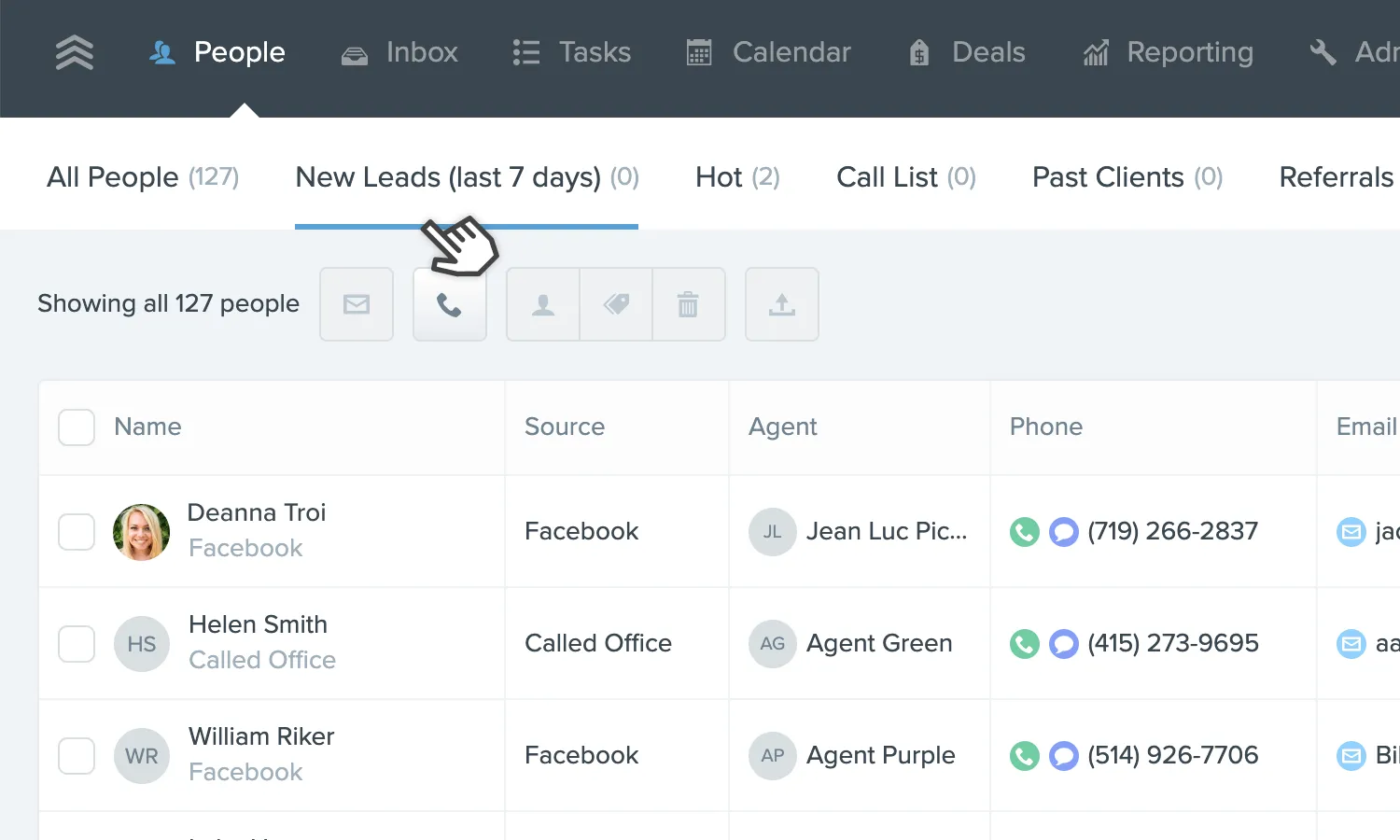
Follow Up Boss is a real estate CRM built to manage lead and client activity. Calls, texts, emails, notes and marketing tasks all stay tied to the same contact record, so you have the full conversation history without digging through separate threads or apps.
For teams, it is especially useful for organizing contacts by source, stage or priority, building smart lists for more efficient outreach and keeping follow-up cadence consistent across agents. The reporting side is equally strong, giving team leads a clear view of agent activity and lead-source performance without requiring a separate tool. With 250+ integrations, it’s built to fit into your existing systems.
Follow Up Boss key features
- Smart Lists automatically surface leads with new activity and overdue follow-up
- Advanced reporting allows users to leave comments and notes for team members
- Built-in dialer and integrated texting to contact leads
Follow Up Boss pros
- Seamless lead management and follow-up automation
- Easy-to-use system with multiple integrations
Follow Up Boss cons
- Users report that the mobile app can occasionally be slow.
- Doesn’t include built-in transaction management; requires integrations
Follow Up Boss pricing
Follow Up Boss offers a 14-day free trial and three paid plans (excluding taxes).
- Grow: $69 per month/user + $39/user to add calling
- Pro: $499 per month (10 users) + $49/month for additional users
- Platform: $1000 per month (30 users) + $20/month for additional users
4. HubSpot CRM
Source: HubSpot CRM
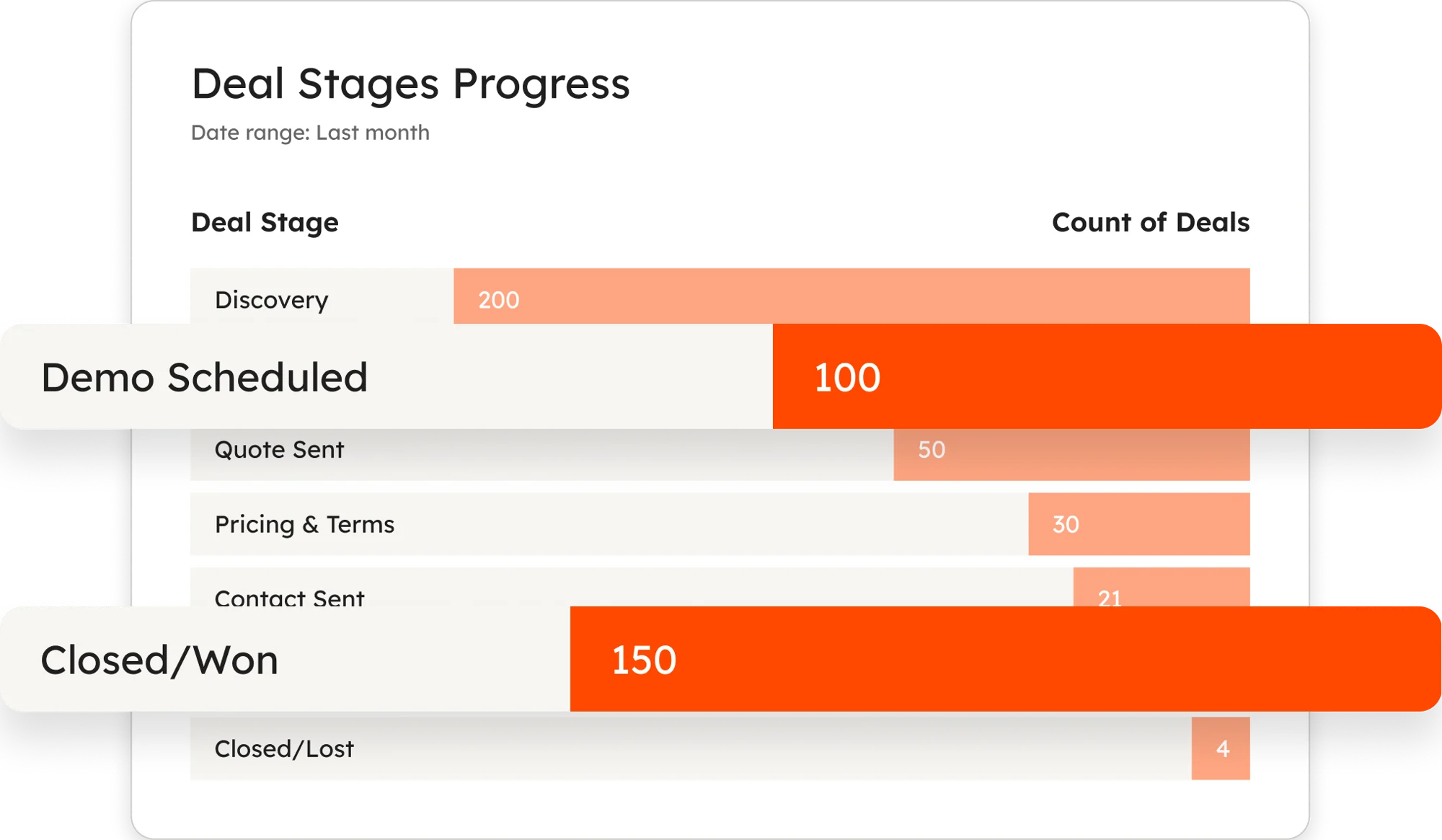
HubSpot CRM brings your contact activity, deal progress, email engagement and website actions into one record, so you can see exactly how a buyer or seller lead is moving through your pipeline and what needs follow-up. Its personalization tools pull from that same data to tailor your emails, landing pages and website content, so a first-time buyer and a seller relocating out of state don’t receive the same generic messages. If you want one tool that connects your lead generation, client communication, and pipeline management, HubSpot is built for that.
HubSpot CRM’s key features
- Lead scoring and buyer intent tools to prioritize high-intent buyers and seller leads
- No code workflow builder for emails, follow-up tasks, lead routing and other processes
- Breeze AI assistant to analyze and summarize CRM data, while automating query responses and prospecting
HubSpot CRM’s pros
- Easy-to-use CRM
- Organized contact details make it easier to manage high-volume data
HubSpot CRM’s cons
- Gets expensive quickly as you add more contacts
- Might take time for beginners to navigate the advanced features
HubSpot CRM’s pricing
HubSpot offers a free CRM plan and three paid plans priced per seat.
- Starter: $15/month per seat
- Professional: $50/month per seat
- Enterprise: $75/month per seat
Email marketing
5. Flodesk
Source: Flodesk email marketing
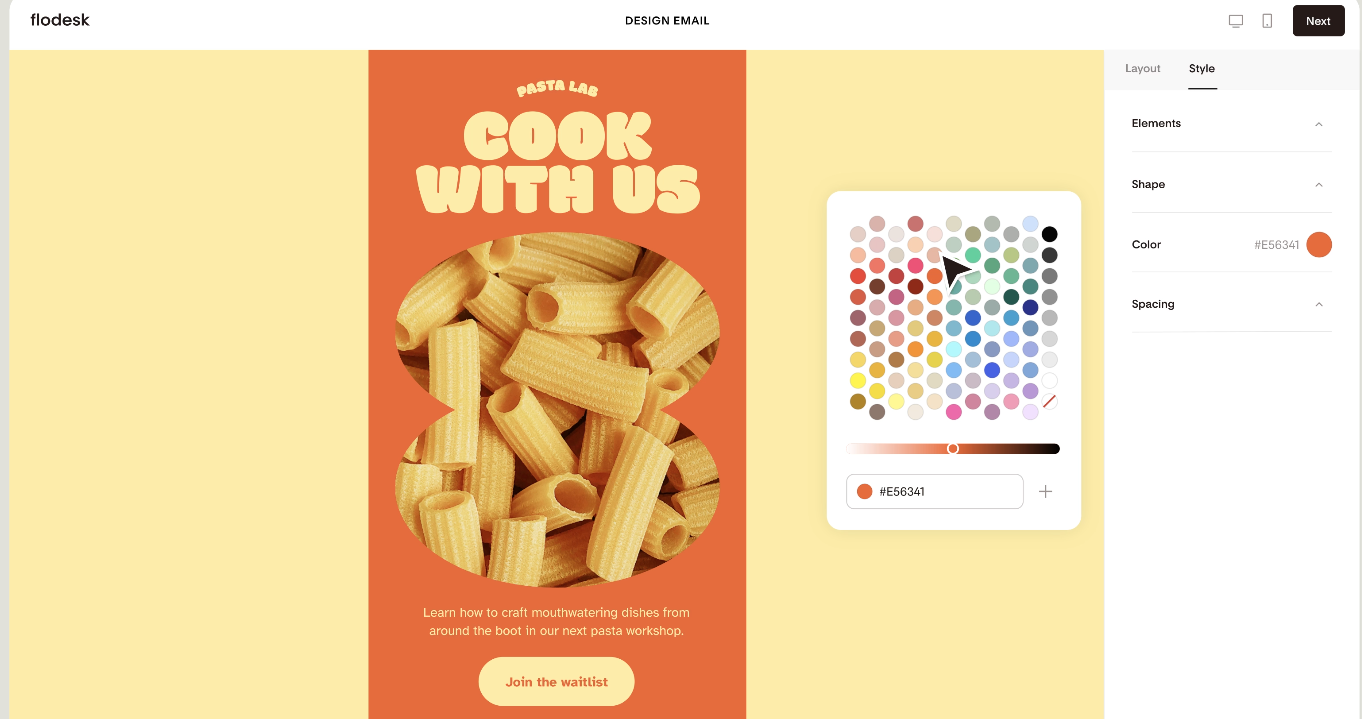
Flodesk is an email marketing tool built around design and an intuitive user experience, which makes it a practical pick if you want polished, on-brand emails without fighting a complicated builder. Whether you’re sending listing alerts, open house invites, neighborhood updates or nurture sequences for buyers and sellers, there are dozens of templates to choose from.
The standout is the design experience: beautiful templates, custom fonts, brand colors and flexible layouts that keep your emails feeling consistent with the rest of your marketing. It also supports forms (landing pages) and workflows (email sequences), so if you want to grow your list and stay in touch with leads through a more brand-forward system, the infrastructure is already there.
Flodesk’s key features
- Landing page forms and link-in-bio capture tools for gathering subscriber information from your social channels
- Email workflows and link-triggered automations for tailoring follow-up series for buyers, sellers, past or existing clients
- Audience segmentation to send targeted emails to buyers, sellers and past clients
Flodesk’s pros
- Beautiful, on-brand email templates
- Excellent customer service
Flodesk’s cons
- Limited automations compared to more advanced platforms
- Basic reporting
Flodesk’s pricing
Flodesk offers a subscriber-based, scalable pricing. The more subscribers you have, the higher the price.
- Lite: $25/month for up to 1,000 subscribers (supports one seat and a max of 25,000 subscribers at $162/month)
- Pro: $25/month for up to 1,000 subscribers (supports two seats and a max of 255,000 subscribers at $1589/month)
- Everything: $54/month for up to 1,000 subscribers (supports three seats and a max of 255,000 subscribers at $1927/month)
- Custom pricing for more than 255,000 subscribers
Lead generation
6. Zillow
Source: Zillow home page
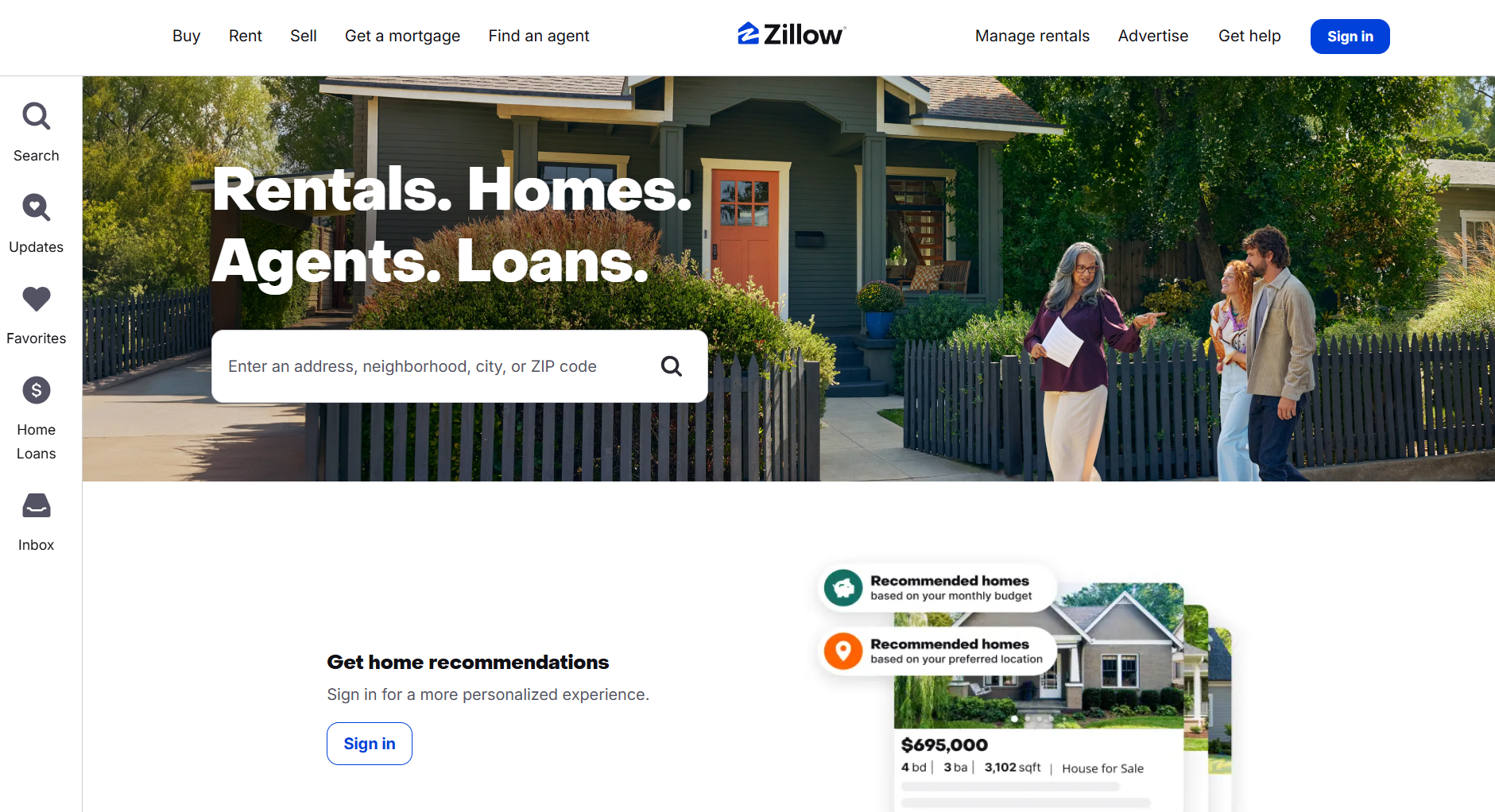
Zillow is lead-generation software that puts you in front of buyers already searching for homes in your market, a different starting point from most lead-generation tools. Through Zillow Premier Agent, you can receive buyer inquiries and respond through live connections while staying visible to people who are actively looking in your area.
What makes it more than just a lead source is how it pairs that visibility with planning tools: ZIP-code targeting, share of voice, estimated connections and ROI forecasting. That gives you a clearer picture of where to allocate your marketing budget and which areas to prioritize before you spend a dollar.
Zillow’s key features
- Tour request connections to book in-person property tours or showings on specific dates and times
- Agent profiles to showcase your reviews and transaction history
- Live call connections for speaking with potential clients right away
Zillow’s pros
- Comprehensive property details
- Filters to search for houses with specific features
Zillow’s cons
- Home value estimates can be inaccurate
- Syncing public listings can take up to 24 hours
Zillow’s pricing
Zillow’s pricing plan is custom and ZIP-code based, with costs varying by market traffic, home values, expected connections and competition in that area. Enter your ZIP code to check pricing on Zillow Preferred.
7. Market Leader
Source: Market Leader
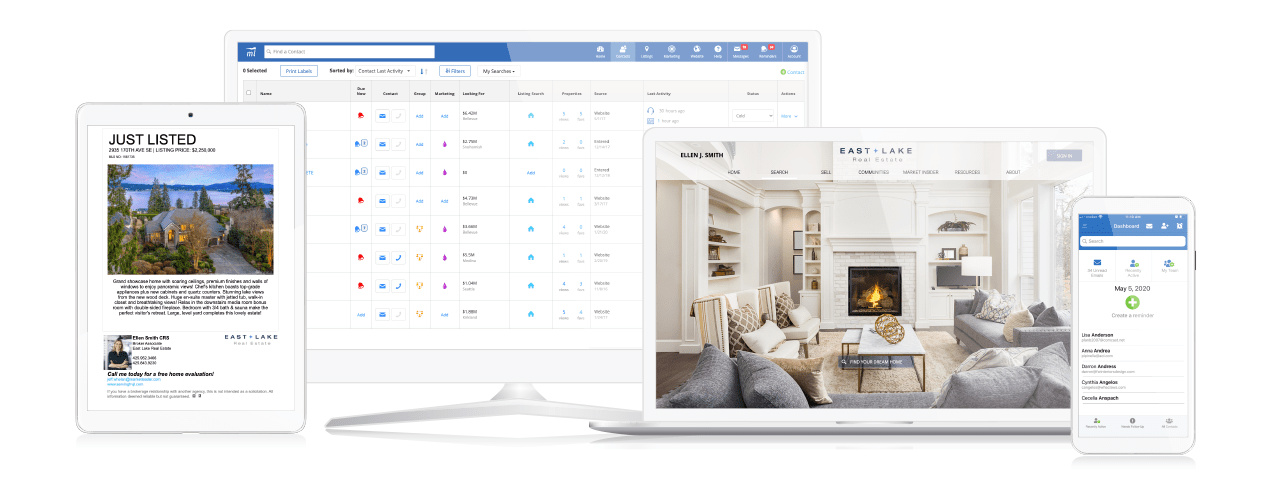
Market Leader combines lead generation with a CRM. Capture buyer and seller inquiries, track which listings your contacts are viewing and see exactly where each lead sits in your pipeline. The platform also allows automated follow-up for new leads and a website builder, so the moment someone finds you online, they’re already moving through a system designed to keep them engaged.
A key feature is the integration of marketing and contact management. Rather than running those two things separately, Market Leader is built to keep them working together within a single workflow.
Market Leader’s key features
- Exclusive lead options in ZIP codes or service areas of your choice
- Behavior-based alerts for tracking site revisits and saves
- Branded website builder includes a listing search for leads to browse homes and register details
Market Leader’s pros
- Robust and straightforward CRM feature
- Pre-built email and print campaigns
Market Leader’s cons
- Lacks pricing transparency
- Many users report a high volume of leads with missing or invalid contact numbers
Market Leader’s pricing
Undisclosed
Read more: How to get real estate leads on Instagram
Social media scheduling and management
8. Buffer
Source: Buffer
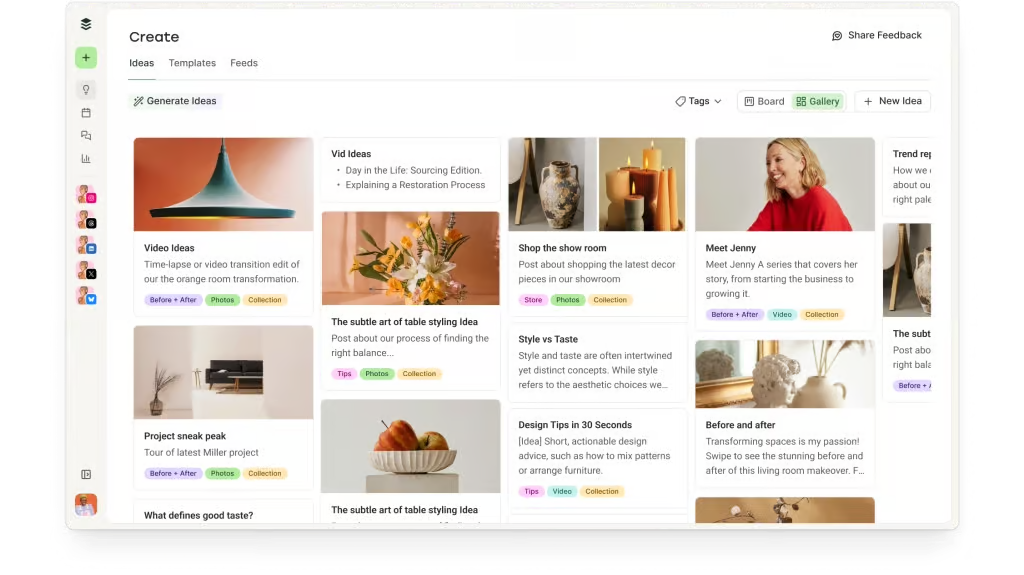
With Buffer, you can keep your real estate marketing active across Instagram, Facebook, LinkedIn, X and Threads. Within one dashboard, users can plan, create, edit and schedule content for publishing across multiple platforms.
The core setup includes a content calendar, publishing, an AI assistant and basic analytics, making it a practical option for solo agents and small real estate teams who want to stay on top of their content performance.
Buffer’s key features
- AI assistant to brainstorm ideas and create platform-specific posts
- Personalized link in bio landing page to showcase active listings, home valuation tools, buyer guides and appointment schedulers
- Content library to organize and store templates, checklists and photographs
Buffer’s pros
- Helpful customer support services
- Easy initial setup
Buffer’s cons
- Does not support scheduling Instagram Stories with music/stickers and Facebook group posts
- Marketing analytics can feel limited, especially for larger teams
Buffer’s pricing
Buffer’s pricing is channel-based, which means the more channels you add, the higher the price. Buffer offers a 14-day free trial and a free plan that supports one user account.
- Essentials: $6 per channel/month (supports one user account)
- Team: $12 per channel/month (supports unlimited team members)
Read more: How to grow as a real estate agent on Instagram
9. Sprout Social
Source: Sprout Social
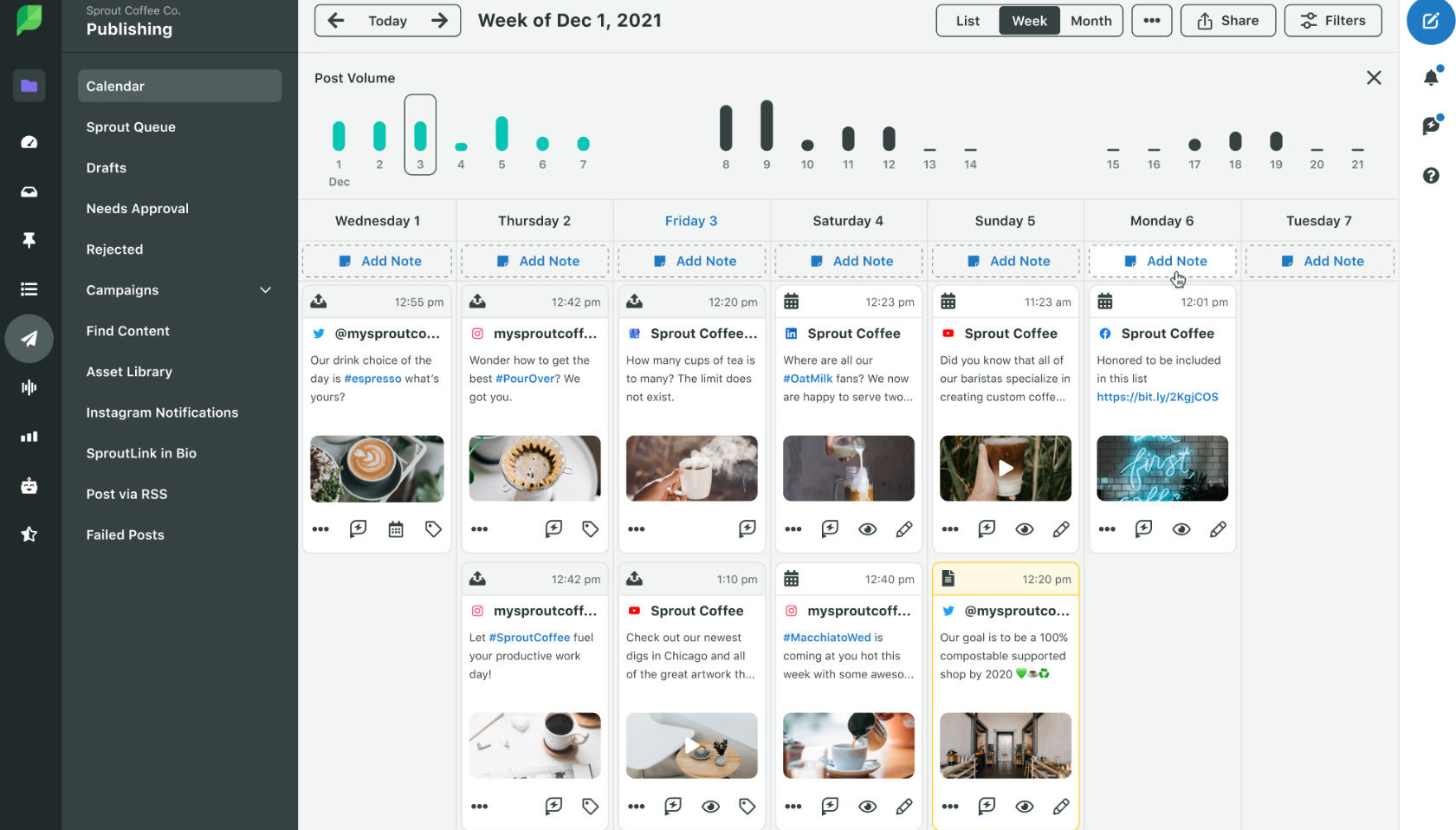
Sprout Social helps you plan, publish, track and manage your social media content from one place, which is especially useful when your real estate marketing is spread across Instagram, Facebook, LinkedIn, X and Google Business.
The value goes beyond scheduling posts in advance. It keeps your social posts organized while pulling DMs and reviews into a single inbox so nothing slips through. The platform also includes analytics and social listening, so you can see which content resonates with your target audience and what topics are popular locally. With its automated publishing workflow, it’s a solid option for agents who want their marketing running while they focus on clients.
Sprout Social’s key features
- AI Assist to create elaborate responses to client queries
- Asset library to organize your marketing assets, like video clips and images
- Premium analytics to track custom metrics across Facebook posts, Instagram Reels, LinkedIn and X content
Sprout Social’s pros
- Streamlines the entire social media workflow
- Strong social media analytics
Sprout Social’s cons
- Expensive for small teams
- A few user-reported incidents of scheduled posts not being published
Sprout Social’s pricing
Sprout Social offers a 30-day free trial, four pricing plans, and an additional plan focused on simplifying publishing workflows for social media professionals.
- Standard: $199 per seat/month
- Professional: $299 per seat/month
- Advanced: $399 per seat/month
- Enterprise: Custom pricing
- Essentials (for social media professionals): $99 per seat/month
Read more: The ultimate guide to viral listing reels
Visual marketing and property presentation
10. Matterport
Source: Matterport help center
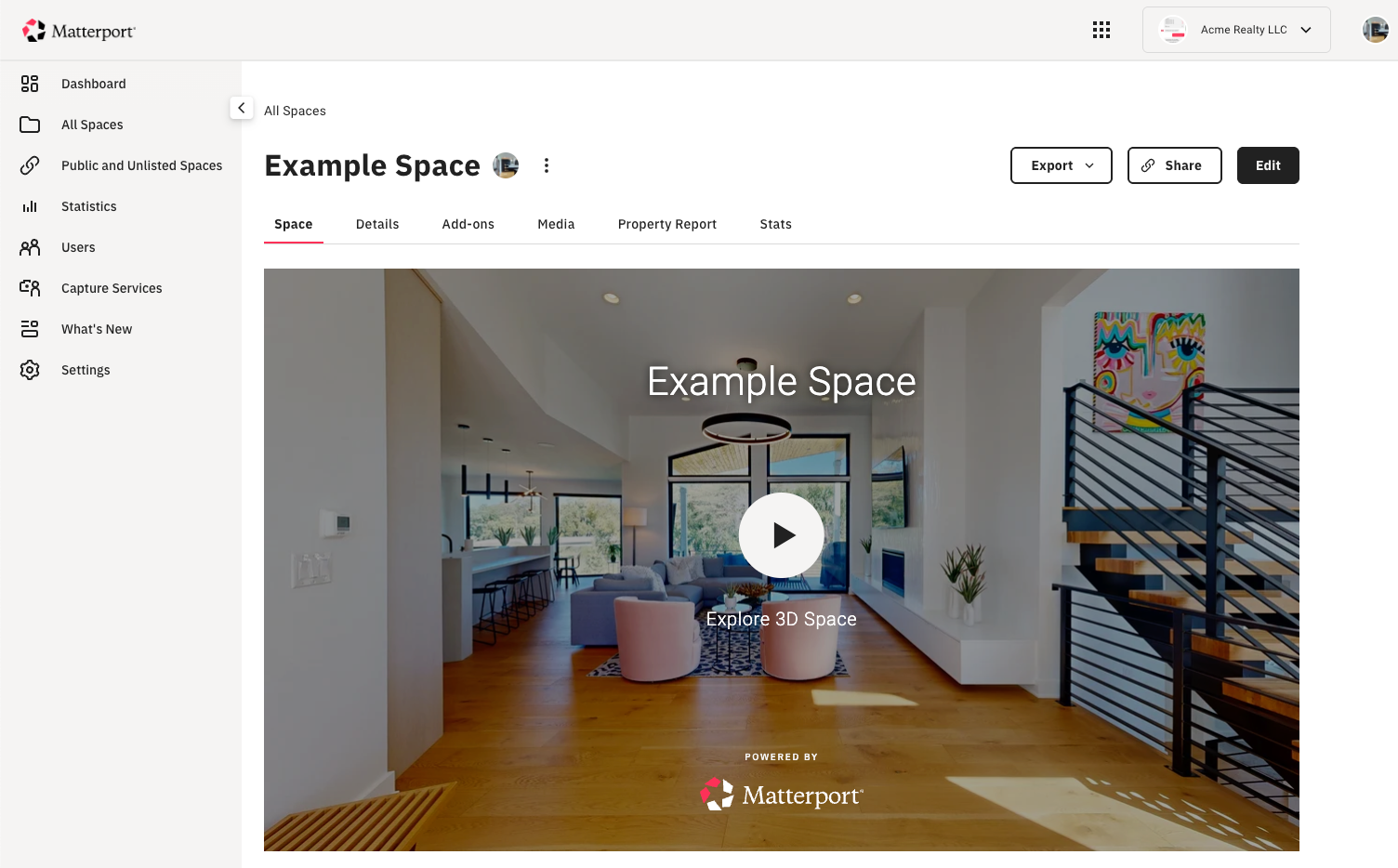
Matterport turns a physical space into an interactive 3D tour, giving potential buyers a better feel for layout, room flow, and overall scale before they ever book a showing.
The agent-favorite feature is the Dollhouse view: an interactive 3D experience that gives a full bird’s eye view of a property, letting clients zoom into floor layouts. A recent upgrade allows you to label rooms and areas, making wayfinding easier right from the start.
Matterport’s key features
- AI editing features to enhance and reconstruct 3D models
- Measurement tools for precise room sizes and corridor widths
Matterport’s pros
- Excellent for creating virtual tours and showcasing venues
- Easy to use
Matterport’s cons
A few users report experiencing software glitches and spontaneous app closure.
Matterport’s pricing
Matterport offers subscription plans based on the number of active spaces. The Free plan supports two users and one active space. Other plans include:
- Starter: $14/month (Allows 5, 10, 15 or 20 active spaces and 3 users)
- Professional: $69/month (20, 25, 30, 40, 50, 75, 100 or 150 active spaces and 10 users)
- Business: $355/month (100, 125, 150, 200 or 300 active spaces and 50 users)
- Enterprise: Custom pricing
The platform also has an accessories shop where you can buy cameras and marketing performance kits. On-demand services such as capture services and property marketing are priced separately.
11. Virtual Staging AI
Source: Virtual Staging AI
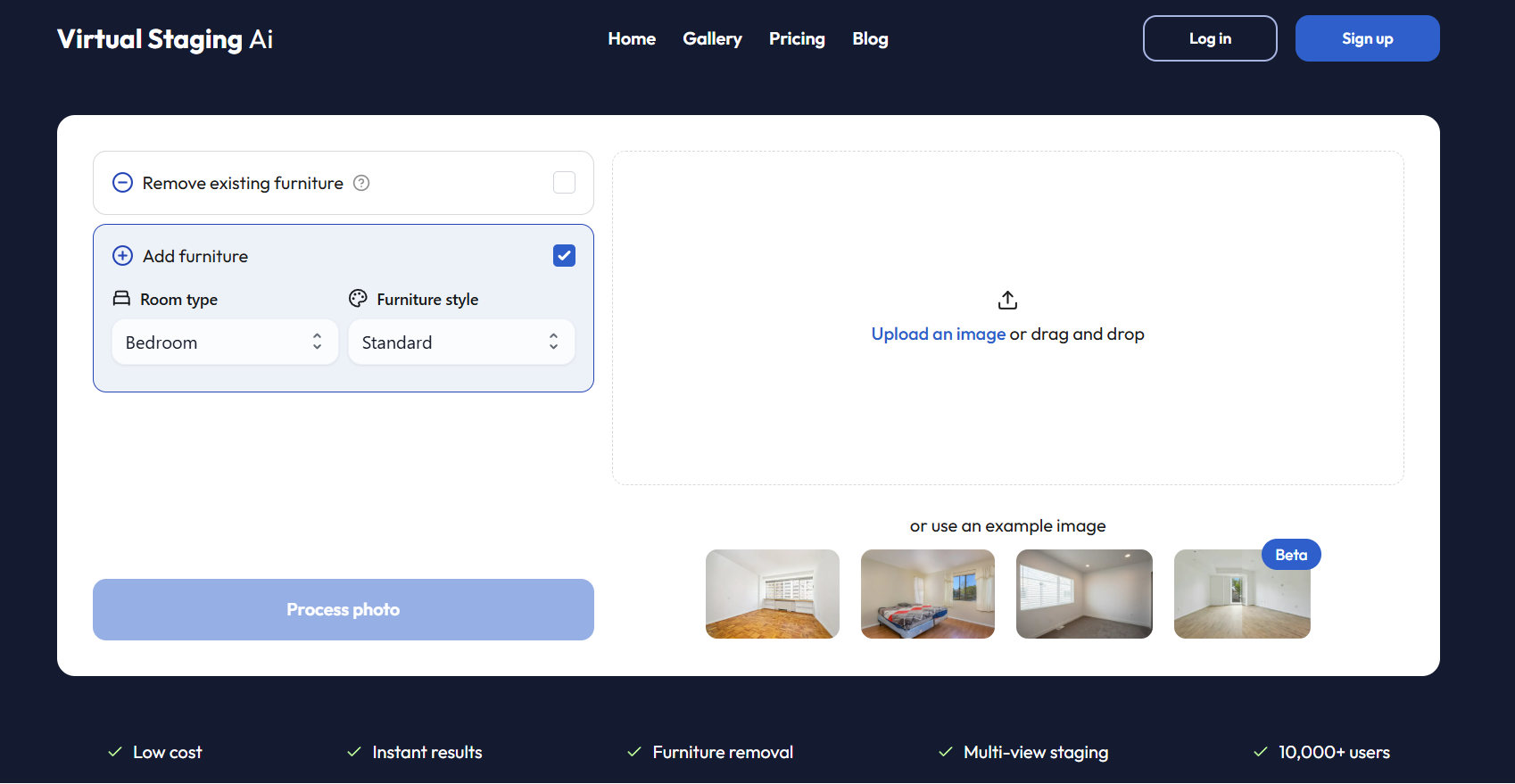
With Virtual Staging AI, users can turn empty or outdated rooms into polished listing photos without physically staging the space.
One of the biggest draws is the ability to generate staged images in multiple design styles. The platform also allows users to remove existing furniture and test different looks for the same space in minutes. Each photo comes with unlimited renders and downloads, giving users the ability to imagine one space with multiple configurations. For agents marketing vacant homes or refreshing older listing photos, it’s a practical way to create stronger visuals without the time or cost of traditional staging.
Virtual Staging AI’s key features
- Multi-view staging to visualize a space from different angles
- AI for redesigning and editing to add furniture to spaces
- Built-in comparison slider to showcase before/after transformations
Virtual Staging AI’s pros
- Simple and intuitive interface
- Wide selection of furniture to choose from
Virtual Staging AI’s cons
- Some users flagged pricing issues, such as the auto-renewal of annual plans without advanced notice.
- Limited room types with no dedicated media or game room options
Virtual Staging AI’s pricing
Four pricing plans plus a try-for-free model. With the free model, users can generate watermarked images without creating an account.
- Basic: $25/month (6 photos/month)
- Standard: $35/month (20 photos/month)
- Professional: $79/month (60 photos/month)
- Enterprise: $139/month (150 photos/month)
Now that you know what each tool does, the real question is which one fits the way you actually work and where your marketing needs the most support right now.
Which tool is right for you?
The best real estate marketing software depends on what part of your workflow needs the most support. Here is a simple way to think about it:
- Lead generation and follow-up: Zillow, Market Leader, Follow Up Boss, and HubSpot CRM are built to help you capture inquiries and keep conversations moving.
- Staying consistent on social media: Buffer and Sprout Social are better suited for planning and publishing content across platforms.
- Stronger listing presentation: Matterport and Virtual Staging AI can help buyers picture and explore a property before they ever step inside.
- Email marketing: Flodesk offers a visually polished way to nurture your email list by sending listings, local recommendations, drip campaigns, and market updates.
- Content creation: Canva for all your graphic design needs. Coffee & Contracts for a complete real estate marketing system with strategic social media templates, lead magnets, trainings, referral network, and monthly content ideas.
If you want to see what a done-for-you content system looks like in practice, try Coffee & Contracts.
Frequently Asked Questions
1. What is the best tool for marketing a listing?
Matterport and Virtual Staging AI are strong picks for listing presentations. Matterport creates interactive 3D tours while Virtual Staging AI transforms empty spaces into polished listing photos for your real estate business. To promote your listing on social media, Coffee & Contracts offers done-for-you listing templates built specifically for real estate agents.
2. Which social media platform is best for real estate?
Instagram and TikTok are recommended for building an audience and generating quality leads.
3. What are the best real estate AI marketing tools?
- Canva has AI features for social media graphics creation and editing
- HubSpot CRM uses AI to analyze data and automate prospecting
- Coffee & Contracts leverages AI for faster content customization and to measure Instagram account performance
4. Which CRMs integrate best with real estate marketing for lead tracking?
Follow Up Boss and HubSpot CRM are both strong options. Follow Up Boss is built specifically for real estate with smart lists and lead scoring. HubSpot offers deeper workflow automation and connects lead generation and email campaigns in one place.
5. What free or affordable tools help create virtual tours and 3D listings?
Matterport offers a free plan for one active space, which is a practical starting point for agents testing virtual tours before committing to a paid plan.
6. Are there all-in-one platforms for real estate branding and scheduling?
Buffer handles social media scheduling. Sprout Social is best for analytics that help you measure your social media marketing efforts. But they are not exclusively for real estate. Coffee & Contracts covers content creation and editing, along with ready-to-use templates and a real estate marketing strategy. Most agents use a combination depending on what their marketing needs most.


More like this

What Agents Get Wrong About Choosing an Ideal Client

$9M Closed. Another $7M in her Pipeline. All from niching down on Instagram